


What Are Roblox Star Codes and How Do They Work?
The Roblox Star Code Program was introduced to support creators recognized by the platform as part of the Roblox Video Stars Program. These creators often collaborate directly with Roblox and are instrumental in building the game’s community.
When you purchase Robux (the in-game currency) or a Premium membership, you have the option to enter a Star Code.
-
Zero Cost to You: Using a Star Code does not cost you any additional money. Your transaction amount remains exactly the same.
-
5% Support: Roblox gives the creator whose code you use 5% of the value of your transaction directly as a thank you for your support.
It’s the easiest way to financially back your favorite Roblox celebrity simply by doing what you already planned to do—purchase Robux or Premium.
💻 How to Redeem Roblox Star Codes on PC/Desktop
The process for redeeming a Star Code on the desktop or browser version of Roblox is straightforward.
-
Navigate to Purchase: Go to the official Robux or Premium Membership page on the Roblox website.
-
Select Value: Choose the specific amount of Robux or the membership tier you wish to purchase.
-
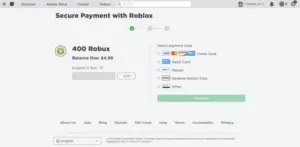
Go to Payment Page: Proceed to the payment method selection screen.
-
Find Star Code Field: Look for the option to enter a Star Code, often labeled with a prompt like “Click here to open the code window.”
-
Enter Code: Copy and paste the Star Code of your chosen influencer into the field. Click Add.
-
Confirm Support: The payment page should now visibly confirm the creator you are supporting. Proceed to complete your purchase.
📱 How to Redeem Roblox Star Codes on the Mobile App (iOS/Android)
Redeeming Star Codes via the official Roblox App requires navigating to the bottom of the purchase page.
-
Access Membership/Robux: Head to the Robux purchase section or the Premium membership page.
-
Locate Star Code Field: Scroll down to the very end of the page until you find the dedicated Star Code entry field.
-
Open Entry Page: Click on the “Tap Here” button or the designated area to open the code entry screen.
-
Enter and Add: Type the Star Code for your favorite influencer and click the Add button.
-
Verification: Once accepted, the page will refresh, displaying the name of the person you are supporting, confirming the transaction will benefit them.
-
📋 List of All Roblox Star Codes (Alphabetical Reference)
We have organized the currently active Star Codes alphabetically to make it quick and easy for you to find and support your favorite influencer.
-
Scroll through the following section to find the code associated with your favorite Roblox video celebrity.
(Note: The actual list of codes follows this structure in the original guide, categorized by starting letter for easy reference.)